Home Blog Page 62

How to update your payment method on Jumia Kenya

0

This is how to update your payment method on Jumia Kenya. Jumia Kenya will no longer pay its sellers using checks effective January 1, 2019.

Jumia Kenya has been sending messages to sellers informing them of the change. Sellers had up to December 30, 2018 to make the switch.

Jumia Kenya will however pay through Bank transfers and mobile money. This according to the company this will reduce the time it takes for sellers to have their money after selling on the platform.

Here is the message.

As technology develops and more business functions are being moved online, cheques are dropping in popularity. Jumia is no exception in this shift. From the 1st of January 2019 will NOT use cheques as a method of payment for sellers.

When a Jumia hands you a cheque it is only the beginning of a long and demanding paper-chain. In addition to adding the payment to your records, you must then deposit the cheque at your bank – filling in forms and taking time out of your already busy day.

To grow your business, it’s crucial to reduce the number of missed payments. Chasing missed payments can take time away from attracting new customer and growing your business.

We count on you to help simplify this activity, so we can concentrate on providing the best service.

ADVANTAGES: 


Payment possible every week (depending on your badge).


No Jumia fees, and bank fees for transfers.


No more waiting in Jumia’s offices. 


All payments by bank transfer and Mobile Money are processed first by our Finance team. 


Quick time of receiving your money.

How to update your payment method on Jumia Kenya

1. Log into your seller center.

2. Once logged in, click on the ‘Get Started’ button.

How to update your payment method on Jumia Kenya 1-min

3. A drop menu will be shown, click on ‘Set Up Your Profile’

4. A page will show, scroll until you get to the payment section. Update you details accordingly.

How to update your payment method on Jumia Kenya 2-min

Conclusion

If you have been getting your pay via Check, this is the new way to go. However, follow the following guidelines to successfully set up your account.

  • The following banks are not allowed:  Unaitas, Jamii Bora, Bank of Baroda, Transnational Bank, Victoria Commercial Bank,Paramount, Consolidated Bank and Dubai bank.
  • Please note  EFT payments are made on Wednesday  morning and will reflect in your bank same day for Barclays  Bank account holders and within 48 hrs for other banks. We are working to improve our timelines and pay earlier.
  • To be paid via MPESA input your Mobile phone number. Only payment below 50,000 Shillings will be paid via MPESA.
  • Cheques are collected every Monday between 10 – 12 PM , Wed 3.PM -5 PM and Friday 10 AM – 12PM. – Please collect your cheques on time we will not be able to replace stale cheques immediately.
  • Contact vendor support in case you want to change your payment timelines from weekly to monthly.
  • Vendors with incorrect bank details during the payment cycle will only be paid at the end of the month. 

That is how to update your payment method on Jumia Kenya. Get more information on payment here.

Airtel Kenya keeps silent on airtime voucher issues.

0

Airtel Kenya subscribers are still counting loses incurred during the festive period after Airtel airtime top-up vouchers failed to work.

The service outage affected airtime in customers’ phones and daily bundles, with some customers who spoke to Shop in Kenya saying that they lost up to 100GB of data.

“Consumer complaints have gone on deaf ears, Airtel Kenya services went off from 1700 hours 30-12 2018 yet no apologies from them, they only respond to a computer generated script.” said a subscriber

Another disgruntled customer said, ‘in my case I have lost 100GB of daily data another 56GB and the last one was probably 46GB as per their complaint receipts.”

Customer complaints were met with a computer generated message, which read, “C18279419 has been logged in with us and expected resolution date is 01-01-2019,”

The service provider, which is the second largest in the country, responded to subscribers on its social media platform with a message that felt robotic, according to customers.

However, this is how Airtel customer care responded, “We have identified the issue affecting airtime vouchers and are working to resolve it as soon as possible. We apologize for the inconvenience caused and thank you for your patience,” responded Airtel customer care representatives.

Customer complaints

Despite complaints from customers, Airtel seem to have gone silent on the issue. Here is a screenshot of its Facebook page with lots of people complaining.

Airtel Kenya complaints-min

The overwhelmed customer care representatives simply advised the customers to recharge from Airtel Money or Pesapal, there seemed to be no other alternative.

By yesterday, New Year’s Day, customers were still flocking to Airtel’s social media platforms and all they could get in response was a requirement to inbox their details for their issues to be sorted.

Do you have a consumer story you want told in our news section? Do you know of a sensitive story you would like us to get our hands on? Email your news with subject HOT to [email protected] 

You can also WhatsApp 071052(sixteen)52 with your news story.

Telkom Kenya introduces free on-net calling zones

0

Telkom subscribers have a reason to smile after the mobile network announced the launch of Free Zones for pre-paid customers in various parts of the country.

Telkom is Kenya’s third largest mobile network with over 4.2 million active subscribers on its network.

Free Zones will be areas where subscribers will be able to make free on-net calls, at any time. This they can do without any restrictions or the need to subscribe to any call bundles.
Addressing the media, this what Amer Atwi, MD of Telkom’s Mobile Division said;
 “Our customers remain at the heart of what we do and we are glad to offer a stronger value proposition. The introduction of the Telkom Free Zones targets to provide customers with more opportunity to communicate, while at the same time getting to enjoy our network quality,”

This comes at a time where there is stiff competition to who subscribers among the top mobile networks in Kenya.


What you need to enjoy this service

All you need to do is to activate your Telkom line with Ksh. 50. And there after enjoy free Telkom to Telkom calls.
Amer Atwi added that, “One does not need to subscribe to a specific offer or bundle to enjoy the Telkom Free Zones. Whenever you are in a Telkom Free Zone, all your Telkom-to-Telkom calls will automatically be free.”  
However, calls made to other networks such as Safaricom, Airtel and Equitel, will attract a Ksh. 3.30 fee per minute.


Locations where this works

This service will not work in all areas. To find out which areas are covered, a Telkom subscriber can dial *888# to find out whether they are in Telkom Free Zone or not.
The service will be available in Kisumu, Siaya, Homa Bay and South Nyanza. Other Free Zones include Murang’a, Nyahururu , Machakos, Eldoret, Cherengany and Turbo, with other areas being added in the near future.

Easy Coach online booking; A Step by Step Guide.

Here I am going to show you how Easy Coach online booking can be done. However, before we can do that, it may benefit you to know that Easy Coach is a reputable bus company that plies route to mostly west of the capital Nairobi. Easy Coach also ferries passengers to Kampala in Uganda.

How Easy Coach online booking is done.

Currently on Easy Coach website, there is no online booking option. To actually book online, you will have to use their online booking partner.

Their online partners are BuuPass. Buupass is a company that provides an online booking platform for major company companies in Kenya. Though at their website, you will notice that they are currently working with Easy Coach, with other bus companies such as Modern Coast and Mash Poa set to follow.

To book your easy coach ticket online, just follow these simple steps.

Step 1

Before you can proceed, have some money in your Mpesa Account. Enough for the bus ticket and transaction fees.


Step 2

If you are connected to the internet, fire up the Buupass website by going to https://buupass.com/

This takes you to a page that looks this way.

Easy Coach Online booking 1-min

Once here, choose the city you are leaving from and your destination. Also, remember to choose the travel date. Once done, hit the “Search Buses” button.

If successful, you will be taken to a page that looks this way.

Easy Coach Online booking 2-min

You will notice that a list of buses is listed and all are from Easy Coach. As I said Earlier, Buupass currently are only working with Easy Coach.

On the top left, to will be able to see the city you are leaving and that you are going to, as you had earlier selected. In my case, you can see that I am leaving Nairobi and going to Mumias.

The travel date is also shown. On your right, a list of available buses is also shown. All you have to do, if there are several buses listed is to decide on travel time. This could be either during the day or during the night.

Once you have decided on this, choose the corresponding bus. In my case, I am going to choose a bus that leaves at 8.00am to Mumias during the day.

So, all I have to do is go to the “Book Now” and hit it to proceed. You will notice that the ticket price is indicated above this button.

On hitting the “Book Now” button, you will be taken to a page that looks this way.

Easy Coach Online booking 3-min

As you can see, all you need to do is book a seat. Off course from the image above, you can see the seats booked (shown in grey) and available seats (shown in brown).

If you select a seat, it will be highlighted in green. So all I have to do is select one of the seats that are available (shown in brown).

Therefore, I am going to choose seat number 7D. When I click on this seat, it is highlighted in green color.

Now, if you are following, hit the “Place My Booking” button to the right.

You will be taken to a page that looks this way;


All you have to do is enter your particulars in the spaces provided as a passenger. Remember if you are booking for more people, you will need to enter all their details.

Once done enter the details of whoever is paying, it could be you or any other person.

At the bottom of the page that looks this way, agree to the “Terms and Conditions” then hit the “Pay with Mpesa” button.

Easy Coach Online booking 5-min

Step 3

Now it is time to turn to your phone.

On your phone a pop message will ask to whether you want to make the payment. The message looks this way.


Do you want to pay Ksh. 1450 to easycoach limited account number 246176532465778?
Enter M-PESA PIN:
4 Digits(0-9.*#,+)

All you have to do is enter your M-Pesa PIN and the payment is made. It is as simple as that. Safaricom Mpesa will confirm the payment and almost immediately, you will get a message from Buupass confirming that you have now booked a seat. The message looks this way;


Ticket Purchase Successful
Name: Upendo Ule Msee
Nairobi Mumias
8.00AM-Mon
31st Dec 2018
Seat/s : 7D
Pick ticket from office at Railways 30 minutes before 8.00am.
PNR NO/s: EMDRFGY32456576543897560
BOOKING NO: 321435543234565432345
Help: 0800722956

Now you can relax and wait for the travel day. Ensure to go early and pick you ticket as advised. You have successfully done Easy Coach online booking.

You can also book from your phone if you do not have access to the internet. Simply dial *877# from your Safaricom line and follow the prompts which are similar to the steps discussed above. Another Easy Coach online booking option.

Easy Coach Destinations and fares

These are the destination the Easy Coach Bus companies and the fares.

[table id=13 /]

Off course, you can make Easy Coach online bookings from those several destinations back to Nairobi

Conclusion.

To make Easy Coach online booking, you have two options at your disposal;

  1. Book through their partner, Buupass.
  2. From your Safaricom line; dial * 877#

If you love this article, Share it with family and friends. Safe traveling.

Tuskys Virtual Mall: Tuskys Sets Up a Ksh 30million Portal

0

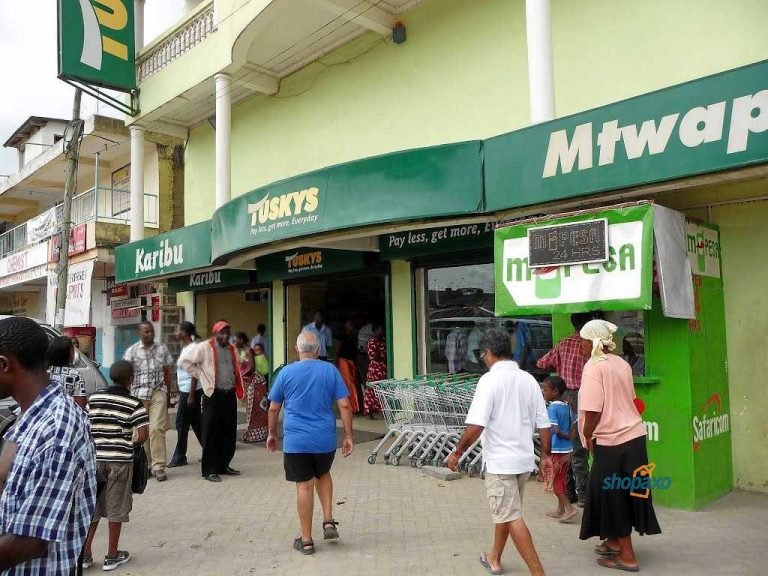
Tuskys has the joined the E-Commerce platform by setting up a Ksh. 30 million a Virtual Mall, the Tuskys Virtual mall. Tuskys remains to be one of the largest supermarkets in Kenya. The other is Naivas. This comes after the fall of two retails supermarkets, Nakumatt and Uchumi.

The other established E-Commerce platforms are Jumia, Kilimall and Safaricom’s Masoko. Tuskys seem keen to join these established brands to tap into the market that is fast expanding.

What Will Tuskys Virtual Mall Offer?

According to the group’s Chief Executive officer Dan Githua,The cloud based platform will enable customer to shop online for Electronics, furniture, cookery, mobile accessories, mobile accessories among others from its 54 stores distributed all over Kenya and Uganda.

Where is the portal located?

You can go to the portal at www.tuskys.com. In addition, it will have suppliers can create accounts and in real time and tracks payments from Tuskys. The store will provides a payment option and same day deliveries within Nairobi and its environs.

The portal will allow customers to pay for products in installments and collect the items when the payment is done. While shopping,customers using the portal can choose their shopping location and deliveries made to their homes. For those living in Nairobi, the deliveries will be made at no cost.

According to Dan Githua’s statement to the media, “the company is going to recruit more than 1000 online suppliers; the target group being the youth that engage on online ventures and social media. This will supplement the over 1200 suppliers at physical stores”

Tuskys is keen to expand in a market where most of its competitors have failed. With same day deliveries at no cost especially for residents of Nairobi, this is going to shake up the online market that is already seeing stiff competition.

Modern Coast Online booking and its Destinations

In this post, I am going to show you how Modern Coast Online booking is done. Online booking in Kenya is fast gaining traction thanks to high mobile penetration in the country.

You should not be left behind.

And why must you read on?

Because I am going to show you how to book your ticket online and avoid the trouble that comes with traveling especially when so many people are traveling.

It is important to discover these simple tricks that will save you time, money and stress.

I have been using them for a few years now and I think it is only good that I share what I know with you.

Modern Coast online booking; A step by step guide

Now let us do this.

On your phone or computer, go to Modern coast online booking platform by following this link. https://www.modern.co.ke/index.php/online/booking

It takes you to a page that looks this way.

modern coast online booking 1-min

Here you begin searching for any buses available. Search the bus by;

  1. Entering the town, city, or place you leaving.
  2. Enter your destination.
  3. Choose the travel date
  4. Select the currency of your country.
  5. Choose whether you want a return ticket.
  6. Once done, hit the search button.

If successful, you will go to a page that looks this way.

modern coast online booking 2-min

If there are any buses available, you will be shown. In my case I was searching a bus from Kisumu to Nairobi.

As you can see it shows the bus type, route, reporting time, and the cost of the seat.

Now choose the bus available to choose a seat. This takes you here.

modern coast online booking 3-min

From the screenshot, you can see the seats available and those already booked. Orange seats shown are the ones still available while those that are white are already booked.

Read Also:

This bus seems to be almost full as you can see.

Now choose by clicking on the seat you want to occupy. Then hit submit below the page. This screenshot does not show that but yours should as you scroll down the page. This takes you here.

modern coast online booking 4-min

Here you fill details required, which include, your name, email, phone number, ID or passport and nationality.

If you have a discount code, you also need to enter it here. Lastly enter your card number if you have one.

If you scroll the same page there is a section that looks this way.

modern coast online booking 5-min

This is the payment section and all you have to do is to choose the payment option that suits you. As you can see you can either pay via Mpesa or Visa Card.

Once done, the next page confirms that your seat is reserved and that you need to pay the amount due within 15 minutes, otherwise, your reservation will be cancelled. See image below.

modern coast online booking 6-min

Meanwhile you will receive a message from Modern Coast Online booking on your phone. Here is a sample.


”Dear Customer,
Go to MPESA paybill number, enter business no. 525600, enter account number TSQ564, amount KES 1200.
Please pay within 15 minutes. Modern Coast. STOP 20465″

Now all you need to do is pay within the time given and wait.

After successful payment, you will receive an email to that effect. Here is a sample.

mordern coast online booking

There you have your ticket. You can print it and present it on the day of travel.

Conclusion

That is how Modern Coast Online booking is done and it is as easy as that.

If you intend to travel during the festive season, when there are so many people traveling, I would advise you to book as early as possible. Sometimes people book up to a month or two in advance.

If you like this article, you can pay it forward by sharing with friends, family and work mates.  

Better still hit the subscribe button and get more of these travel guides to your inbox.

KPLC Paybill Number: How to pay your electricity bill.

These are the KPLC paybill numbers.

For Postpaid customers, the number is 888888.

For Prepaid customers, the number is 888880.

Off course, you use these numbers when buying or paying through your phone.

Let us see how you can easily pay or buy your electricity token in Kenya.

Let us have a look .

How to buy electricity tokens for prepaid customers using the KPLC paybill number.

 Here the best way is to pay via Mpesa because you are likely in possession of a Safaricom line and that you receive you token messages almost immediately.  

How to Buy Kenya Power (KPLC) Prepaid Tokens via Safaricom

  1. Go to Safaricom SIM Tool Kit, select M-PESA menu, select “Lipa na M-PESA’’
  2. Select“Pay Bill
  3.  Select “Enter Business no.“, Enter KPLC’s Lipa na M-PESA PayBill Number 888880 and press “OK”
  4. Select“Enter Account no.“, Enter your KPLC Prepaid Meter Number (e.g. 0100xxxx xxxx x) press “OK”
  5. Enter Amount“, between KSh100 and 35,000 and press “OK”
  6.  Enter your M-PESA PIN and press “OK”
  7. Confirm all the details are correct and press “OK”
  8.  M-PESA HAKIKISHA, You will get a notification with the intended recipient’s name e.g. “Pay Kenya PowerKSh1,000.00 for Account 0100 xxxx xxxx x Press 1 within 20 seconds to STOP this transaction.” To stop a wrong transaction, Enter “1” and press Send within 20 seconds. Pressing “Cancel” will complete the transaction. Or you can simply wait until the time elapses.
  9. You will receive a confirmation SMS from M-PESA.
  10. KPLC will then generate prepaid token valid for your meter and send via SMS. Paying your Postpaid Electricity Bill with M-Pesa (Safaricom)


How to Buy Kenya Power (KPLC)Prepaid Tokens via Equitel

  1. Select Eazzy Pay from your Equitel menu
    2. Select Pay Bill from Eazzy Pay.
    Choose the bank account number to pay from e.g.0123456789102
    Select business number – KPLC Tokens
    3. Enter your KPLC Prepaid Meter Number (e.g. 37168917674) press OK
    4. Enter the amount you wish to pay which should be between Shs. 100 and  Shs.500,000.
    5. Enter your Equitel PIN and press OK.
    6. Confirm that all details are correct by pressing OK.
    7. You will receive a  text confirmation of the transaction from Equity bank.
    KPLC will then generate prepaid token valid for your meter and send viaSMS.1

How to buy electricity tokens for Postpaid customers using the KPLC paybill number.

Here again you use the popular platforms, except that you are indeed paying and not paying parse.

Remember that the KPLC paybill number here is 888888.

Paying your Postpaid Electricity Bill with M-Pesa (Safaricom)

  1. Select “Pay Bill” from the M-Pesa menu.
  2. Enter the Kenya Power business number 888 888.
  3. Enter your new Kenya Power account number e.g. 14201052400
  4. Enter the amount you wish to pay which should be between Shs. 100 and Shs.35,000.
  5. Enter your M-Pesa PIN.
  6. Confirm that all the details are correct.
  7. You will receive a confirmation of the transaction via SMS.

Paying your Postpaid Electricity with Equitel

  1. Select Eazzy Pay from your Equitel menu
    2. Select Pay Bill from Eazzy Pay.
    Choose the bank account number to pay from e.g.0123456789102
    Select business number – KPLC Bills (Post Paid)
    3. Enter your new Kenya Power meter number e.g. 2831172 or 3436980.
    4. Enter the amount you wish to pay which should be between Shs.100 and Shs.500,000.
    5. Enter your Equitel PIN and press OK
    6. Confirm that all details are correct. Then press OK.
    7. You will receive a text confirmation of the transaction from Equitybank.

Paying your Electricity Bill with Airtel Money

  1. Select “Airtel Money” from the menu.
  2. Click on “Make Payments“.
  3. Select “Paybill“.
  4. Choose Kenya Power Bill for postpaid bill OR Kenya Power Prepaid for purchase of tokens.
  5. Enter the amount you wish to pay.
  6. Enter your Airtel Money PIN.
  7. Under the reference option, type your full Kenya Power account number e.g. 123456-01. Confirm that all details are correct.
  8. You will receive a confirmation of the transaction via SMS.

Other methods of payment.

You are not limited to paying using the KPLC paybill number. You can opt to use other methods discussed below.

Pay at supermarkets.

 You can pay at selected supermarkets in Kenya. Here they are.

  1. Uchumi Meru
  2. Lang’ata Hypermarket
  3. Ngong Hypermarket
  4. Uchumi Capital Centre.

Pay at selected banks.

If you one of those guys who likes lining up in a bank, then choose the bank you belong to here.

  1. National Bank of Kenya.
  2. Postbank.
  3. Barclays Bank of Kenya.
  4. Co-operative Bank.
  5. Standard Chartered.
  6. Postal Corporation of Kenya.
  7. Equity Bank.

However,you can pay via the ATMs of these banks and if you are a customer of Co-operative bank, you can use the M-banking option you are already registered.

Also note that you call choose to pay at KPLC’s own banking hall.

Make Cheque payments.

You can also use this method if you love writing cheques. You cheques should however be deposited at KPLC designated drop off points.

Conclusion

It you are a prepaid customer, then you can simply look at your meter and know that your token is almost consumed. However if you are a postpaid customer, then this is not possible.

How do you tell you bill?

Simply do so by sending your account number eg 1410657 to 5551.

Again ,here are KPLC Paybill number is 888880 for prepaid and 888888 for postpaid.

Now that’s how to pay or buy hour electricity bill

Disclaimer: Whereas I have tried my best to bring you the correct information, the information presented may change with time. Always contact KPLC for the correct information should you need clarification.

Here are the contacts.

Hotline: 95551
Tel: 020 3201 680
Cell: 0703 070 707 / 0732 170 170
Email: [email protected]

Online shopping in Kenya in 2019: 5 mistakes you are making right now.

Online shopping in Kenya in 2019 has been on the rise thanks to reducing cost of data in the country. You just have to look at the number of online shopping sites to understand the growth of the industry.

Look at it this way. Why would Safaricom, the largest telecom company in East and Central Africa set up an online shopping website?

Yes, Safaricom has its own Masoko, competing with other online shopping sites such as Jumia and Kilimall. This tells you two things, that online shopping in Kenya 2019 has become lucrative and big companies such as Safaricom want a piece of the business.

You just have to look at the crazy number of products that Jumia is shipping every day to get a glimpse of how business online is booming.

And I do know that you too are part of this craze, you have abandoned the traditional mortar and brick shopping in favor of online shopping.

But as you do so, could you be making these 5 mistakes people make while shopping online?

Read on to find out.

Before we look at 5 mistakes you are making right now as you shop online, it would be important to note that I wrote in this article the top 7 online shopping websites that you can explore if you looking to shop online.

5 mistakes you could be making right now as you shop online.

I already said that online shopping in Kenya has seen so many people shop online. A big shift from what was happening a few years ago.

However, you must realize that online shopping comes with its own challenges and risks. And you could be making these mistakes as you do so.

Let me explain.

1. Using public Wi-Fi.

How convenient and money saving is it when you connect to free Wi-Fi in your favorite restaurant or Matatu or School?

There are so many free Wi-Fi networks around you. All you need to do is enable Wi-Fi on your phone and scan, and see how many Wi-Fi networks you will connect to.

To most of us, this is saving money on data and will connect to free Wi-Fi without second thought. But let me let you the truth, connecting to free Wi-Fi is like engaging in unprotected sex and expecting not to be infected with STIs.

You should know that these networks do not encrypt information and therefore data transmitted through your computer or phone is insecure.

Do not conduct online shopping transactions on such hot spots, especially where bank accounts and passwords are involved.

Your bank account could be wiped clean. By the way, ask yourself could someone be hidden in the same network preying on you?

Be smart, because if you are not smart people will teach you a lesson you will never forget. Do not use public hot spot to conduct business online. This is one of the pitfalls of online shopping in Kenya in 2019.

Even more serious, scammers could steal your information and steal your identity.

2. Use of common passwords across different platforms.

In this era and age, you probably have many accounts that require passwords to access. Passwords can be a pain to remember.

But that does not mean that you have a common password for all your accounts on social media, mobile banking and Mpesa. Always use different password for different platforms and use passwords that are not easy to crack.

Never use your birth date (tell me your birth date and I have a password to one of your accounts), name of a loved one, name of a pet or Identification number for these are easy to get and guess.

Instead, use something random that is hard to guess.

3. Clicking on all links you see.

During promotions such as the Black Friday, (a practice that is gaining worldwide popularity where goods and services as sold at discounted prices), it may be hard to tell the difference between genuine deals and online scams.

Let me tell you a story.

In the black Friday frenzy of 2016, someone was so excited about the awesome deals from an online shopping site that they ordered items in bulk . They paid online (ask me why I rarely pay online) and waited.

You might have guessed this right; of course, the products were never delivered. Concerned he made a follow up and days later discovered that the site was offline.

Scammers can create sites easily and use them to defraud buyers. Avoid following all links you see, however shop from reputable sites and double check the sites name.

Fraudsters will often create sites that have almost similar names to genuine online shops and use them to target unsuspecting online buyers.

4. Being tempted with unexpected rewards.

Most links will lured with the promise of rewards. Pop ups and emails will be sent to you informing you that you have won rewards or prizes in competitions you have not participated from. Beware, these are scammers.

Do I really need to over emphasize this? You are already aware of this scams or have already fallen a victim.

As they say, when a deal is so sweet, think twice.

5. Impulse buying.

Do you buy stuff not because you need it but because it is the latest model or brand? Then you are doing impulse buying. Online shopping in Kenya in 2019 will tempt you with so many fancy products.

You have to train yourself to avoid this; because you can end up buying stuff you do not need or worse, get into debt.

Conclusion

Online shopping save us time and gives the freedom to compare prices of items from the comfort of our homes or work. In one word, it very convenient.

However, it also comes with its own challenges and risks that you need to know. If you have been making these 5 mistakes, you now know.

Happy shopping.

How to place an order on Jumia Kenya

0

I have taken time to write this complete guide on how to place an order on Jumia Kenya so that I can answer most of your questions.

However, before we can go deeper into this, it is important for you to note that you can place your order from any location in Kenya and have your package shipped and delivered to your doorstep.

Before you can place your order, you need first to open an account with Jumia. If you have your account ready, then well and good let us proceed.

If not, I would recommend that you read this article before proceeding. And the beauty of the article is that you do not have to come back here, just proceed with that page to place your first order!

A step-by-step guide on how to place an order on Jumia Kenya

1. Go to Jumia Kenya’s Home page

If you have your login credentials ready, fire up Jumia by going to their home page. Follow this link https://www.jumia.co.ke/

Check that nobody else is logged in. This is very important if you are using a public computer.

If you are using your mobile phone, which is the likely option, go to google play store and download the Jumia Kenya app.

how to place an order on Jumia 1

Thereafter, whether you are using a desktop computer or laptop or your phone, the procedures are same henceforth.

At the Jumia Kenya’s homepage login with your credentials. You can find the login option under Account tab at the top left.

2. Search for your desired product.

Once logged in, you need to search for a product you want to order. However, before you can proceed with how to place an order on Jumia Kenya, you will notice that your name (the one you used during registration) shows up.

Once here, you can search for the item you looking for. You do this by entering you keyword in the search box. Alternatively browse through the categories.

Have a look.

how to place an order on Jumia 2

3. Click buy button

Once you have your desired item, click buy. However, before you do so, go through the product specifications, read through the description, read reviews from other buyers and finally look at the seller score. (Jumia Kenya could have other sellers selling the same item. Read this guide if you do not understand this).

how to place an order on Jumia 3

If everything looks fine, hit the buy button. But wait, a close at the page reveals that there is a discount code if you buying using the Jumia Kenya app. Copy the code for use later if you are using the mobile app.

Now hit the buy button.

4. View the cart and check out

After you hit the buy button, a pop up message will come up which will ask either you to either proceed with shopping or view cart and proceed to checkout. Hit the view cart and proceed to checkout button.

This takes you to a page that looks this way.

how to place an order on Jumia 4

Hit the proceed to checkout button

5. Provide shipping address

After hitting the proceed to checkout button, you will be taken to a page that looks this way.

how to place an order on Jumia 5

You notice that

  • Step 1 involves confirming your shipping address. During registration, you provided this information, so no need to worry. Only note that if you wish to change your shipping address, you can do it here.
  • Step 2 will require you to choose your delivery method. Here choose accordingly, where you want your package delivered. This is either at your home or office or whether to pick it up at a pickup station.
  • Step 3 if you hit next step button under step 2 you will be taken to a page that looks this way. This is the payment option.

how to place an order on Jumia 6


Choose whether you are going to pay via Mpesa or you will pay cash on delivery. Sometimes the pay cash on delivery is not available. This is true especially where large amounts of money is involved.

6. Enter the discount voucher if you have any

Now here is where you enter the discount voucher that was provided earlier. If you have one, enter it in space provided. See the diagram in step 5 above.

Once done hit the confirm order button

7. Relax and wait for your package.

After hitting your confirm order button, you can relax and wait for your package. However, you need to check your mail to see whether it has been confirmed. This may take several hours.

Once confirmed, you can track your order in real time under your account tab. You will receive an sms message on the day of delivery, then a few hours later you will receive a call to arrange on how to receive your package.

If you have come this far, congratulations, you have just made your first order! You have learned how to place an order on Jumia Kenya!

Answers to common questions on how to place an order on Jumia Kenya

Even after learning how to place an order on Jumia Kenya, there could be a few questions that may not be answered yet. I have listed below some of the common questions and their answers.

  1. What are the delivery charges of my item?

This depends with two things. One the shipping distance and two the bulkiness of the item you are ordering. You can be able to see the shipping cost as you proceed to checkout.

  1. What if I do not want to incur shipping cost?

You can pick your package at a pick up station near you at a cost that is less than the shipping cost. Find out a pick up station near you, you can use. The other option you have is to pick your package at the Jumia offices if they are near you.

Pro Tip: From my shopping experiences on Jumia, it costs even more in bus fare and time wasted if you opt to pick your package at a pick up station or Jumia Kenya offices near you. I prefer having it delivered to me.

  1. Can I open the package before paying?

This may not be necessary. In my 4 years of shopping on Jumia Kenya, I have never received a wrong item. What am I saying? It is extremely rare to receive the wrong package. But should it happen, you can have it returned and replaced. Read Jumia’s return policy.

  1. Can I pay on delivery?

Yes, you can, either by Mpesa or by cash. However, the cash option may not be available if large sums of money are involved.

  1. I see no shipping address, what should I do?

If you see no shipping address during checkout, it is likely that you gave that information during signing up. Go to your account and see it there. If you are a new customer, you will need to add your shipping address.

  1. The landmark in the shipping address is not recognized, what should I do?

Always use a well known landmark. This could a school, a supper market, a petrol station, a church or mosque or a building.

  1. How long should I wait for the package to be delivered?

This again depends. If you live in Nairobi and its environs, the shipping speed will be fast than for people living upcountry.

  1. Can go directly and pick my order at Jumia offices?

Yes you can, however Jumia discourages this to de-congest their offices.

  1. What items are on sale on Jumia?

There so many items from so many categories you can choose from. Just explore the categories to discover.

  1. How trustworthy is Jumia?

Jumia is a trust worthy site shipping millions of products every day. There are over 16 million subscribers on Jumia Kenya. 16 million people cannot be wrong. If you decide to make an order on Jumia Kenya, do it in confidence.

Also Read:How to cancel an order on Jumia Kenya

Conclusion

Learning how to place an order on Jumia Kenya is that quick. Within a few minutes, you should have made your first order.

Should you have more questions about this topic, feel free to ask. You can do so in comments box below or by going to contact me page.

Happy shopping.

How to cancel an order on Jumia Kenya

How to cancel an order on Jumia Kenya? This must be the question running through your mind as you try to go through this page.

I do understand your trouble, that is why I am here to help solve your problem. Please read on to get the solution.

Jumia is a reputable company in Kenya shipping millions of products every day to its customers all over Kenya. The average shipping speed on Jumia in Nairobi is three days and more days in other parts of the countries.

Despite its efforts to deliver your packages on time, unforeseen problems, change of plan and many other reasons may force you to start thinking how to cancel an order on Jumia Kenya.

Let me explain.

Sometimes unforeseen delays on Jumia can force you to make a sudden decision on cancelling an order you had made, especially if you wanted it fast and it is time bound.

Here is a story from my own experience.

Sometime late last year, I placed an order on Jumia for a product I was to give out as a gift to one of my friends who was getting married. I placed the order on a Monday and expected that by Thursday, I should have my package for the big day.

However, by Thursday, I had not received that sms to notify me that my package will be delivered. I was not very worried; something kept telling me that I should have my package by Friday morning.

It was not to be. By Friday morning, had not received the package, and I knew that the possibility of having it delivered before the big day was almost nil.

Just like you, I was being bothered by this question on how to cancel an order on Jumia Kenya?

You see, you are not alone on this, hundreds of people, on a daily basis cancel orders on Jumia.

Back to my story, how did I sort out my problem? There was only one option, to cancel the order, and try to get a substitute gift for Saturday. At this time, I did not have much time to think about it and I had to move fast.

I sent someone to town( read Nairobi) to buy me the gift as tried to cancel the order. Nevertheless, it was not as easy as I thought.

It took me sometime before I could figure out how to cancel the order.

Luckily, for you, I bring you the very same method I used, so that you do not have to suffer as I did.

Ways to cancel your orders on Jumia

You have several ways at your disposal to cancel orders on Jumia.

1. Call customer care

This is by far the easiest and most convenient method to use. All you need to do is call the customer care and explain your situation.

The numbers to call are 0700,000,990 or 0205230600.

You can call these numbers on weekdays, which is Monday through Friday from 8.00am to 8.00pm.  On weekends and public holidays, you can reach them from 9.00 am to 3.00 pm.

I love this method because your question how to cancel an order on Jumia Kenya is answered there and then.

2. Write them an email

This is a second option you have. All you have to do is write them an email to [email protected]

If you do not know what to write in the email, write something like this.

Dear (name),

I recently made a purchase online via your website on (day, month/year) for a (full description of product). The delivery date is estimated for (day, month/year) but I would like to cancel the order and (receive a refund/make an exchange).

I have read your site’s terms and conditions and from what I understand, I am still well within the time period allowed for returns or exchanges.

My order number is: (insert your order number). I paid via my (PayPal account/Credit card etc) so would it be possible for the (refund/exchange) to be made back onto my (card/account) directly?

 My reason for this (cancellation/exchange) is (give details of the reason for your request). I apologize for any inconvenience caused.

I have shopped online with (name of the company) numerous times in the past. You have a very good selection of products at very good prices and delivery is always quick with the items always arriving in perfect condition.

I am a loyal customer who enjoys shopping with you. The experience is always pleasant and I have already recommended you to many of my friends and will continue to do so.

Awaiting your rapid response,

Sincerely,

(Your name)

Of course, this is just a template; you can make it as short as possible but remember to put in all the details of your order for quick cancellation.

If you are successful, you should receive an email confirming that your order has been cancelled.

3. Cancel your order on-line

If you log into your Jumia account, under your name at the top left, there is a drop menu, which among other items, has an option to track your orders.

how to cancel an order on Jumia

Here you can see whether your order is awaiting confirmation, or confirmed and awaiting shipping or it has already been shipped.

From here, you will notice that there is an option to cancel your order. You can proceed and fill the online submit form.

Fill in all the details required of you, which will include full name, email address and the order number. Under the option, select “I want to cancel my order.

Then provide a brief description as to why you want to cancel the order. Once you have done so, hit the submit button and sit back and wait for the feedback on how to cancel an order on Jumia Kenya.

If all goes well, you should be able to receive a response within 24 hours.

Here is a summary of all this stuff.

how to cancel an order on Jumia

A few things you need to understand before canceling orders on Jumia.

Like any other shopping websites in Kenya, Jumia has its own term and conditions. You cannot just wake up and decide to cancel orders anyhow. Here are a few things you need to know.

  • Read the Jumia’s terms and conditions: Even as you ask yourself how to cancel an order on Jumia Kenya, you also need to ask yourself what happens if I do not adhere to Jumia’s terms and conditions. It important to read and understand their terms and conditions. This helps you understand your limits as far as this matter is concerned.
  • Do it fast: Should you decide to cancel an order, you need to move with speed. You do not want to try doing it when the deliveryman is at your doorstep. This in itself may come with unforeseen costs. In addition, if you really do not want your package, you are left with one option, that is returning the item. However, before you do so remember to read Jumia’s return policy.

Also Read: How to place an order on Jumia Kenya

Conclusion

Jumia does not like you cancelling orders. And it is understandable because it is loss of revenue to them.

However, some circumstances force us to cancel some of our orders. Briefly should you want to cancel an order, follow one of the following methods below.

I am glad you have walked with me through this article and you too are glad that I answered your question. Now you know how to cancel an order on Jumia Kenya.

If you like this article, please share it.