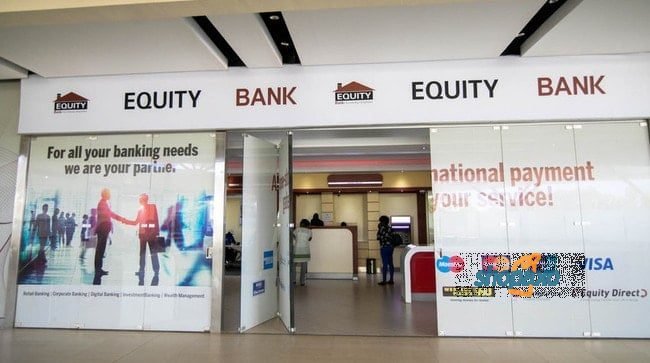
Equity Bank is one of the largest banks in Kenya with several branches in Nairobi. It is a bank the embraced the ‘mama mbogas’, and as result, grew to what we know it today.
It is common to see Equity agents at the most unlikely neighborhoods
that ‘traditional’ banks such a KCB
and Barclays dared not venture. In Nairobi alone, there are 38 Equity bank branches.
But before we move on, you may be asking yourself, what is a bank Code?
A
“bank code” is a series of numbers that help identify banks across
the world. Each bank has its own specific and unique code that differentiates
it from all those on its country as well as those in different parts of the
world.
What this means
is that all banks in Kenya have different bank branch codes. The Equity Bank
code is 68. Note that each of the codes below begins with 68.
Bank codes
are up to 5 digits. While Equity Bank’s code is 68, the other 3 digits are
known as “branch codes”. It is these three digits that identify a
particular bank.
Here all Equity banks in Nairobi and their codes.
Equity Bank Branches in Nairobi
Branch
Code
Location
Contact
Upper Hill- Head Office
68000
Hospital Road, Equity Building 9th Floor.
+254763026000
Equity Bank Corporate
68001
Fourway Towers-4th Floor.
0202262023
Equity Bank Fourways
68002
Muindi Mbingu Street.
0763063000
Tom Mboya
68012
Tom Mboya Street
0202744000
Mama Ngina Branch
68015
Mama Ngina Branch
020-317624
Community Supreme Center
68017
Ragati Road- NHIF Building 1st
floor.
0202744000
Community Corporate
68018
Madison Insurance House, Ground
Floor
020 2744000
Harambee Avenue
68024
Harambee Avenue
020318122
Kimathi Street
68026
Kimathi Street, Nairobi
0202744000
Kariobangi
68032
Outer-Ring Road
Kariobangi North
0723786724
KNUT House Branch
68035
Mfangano Street
020 2744000
Gikomba
68043
Business Arcade
020 6764202
Moi Avenue
68047
Shankardass House
0202550058
Moi Avenue Corporate
68054
Moi Avenue, Nairobi
0203105852
Westlands
68055
Woodvale Grove, Nairobi
0763068055
Kawangware
68063
Dagoreti Road, Kawangware
0202744000
Kayole
68065
Pinnacle Center Building
0202114147
Githurai
68071
Githurai, Nairobi
020 2357603/4
Enterprise Road
68080
Industrial Area
0718540133/ 0737152165
Equity Center
68081
Upper Hill, Equity Center,
0717751414/6
Donholm
68082
Donholm, Nairobi
+254202369430
Eastleigh
68084
Eastleigh 2nd Ave
0745545343
OTC
68088
OTC, Nairobi
020 2400524/5
Ngara
68091
Ring Road Ngara Roundabout
0716336710
Tea room
68094
Tea room
0729361796
Buruburu
68095
Buruburu, Nairobi
0763068095
Mombasa Road Branch
68108
Mombasa Road Nairobi
0763068108
Kenyatta University
Branch
68113
Kenyatta University Nairobi
0202322432/33
Kibera
68117
Kibera, Nairobi
020 2744000
Conclusion
At one time or another, you may be asked to input your bank code details into some document. Luckily for you, here you have a complete list of Equity bank branches in Nairobi and their codes.
Did this list come in handy for you? If so, let me know how
it did.
It is the largest bank in Kenya, with branches in neighboring counties such as South Sudan, Sudan, Tanzania, Rwanda and Uganda. As of 2019 it over 220 branches.
Its headquarters are in Upper hill Nairobi, a suburb that is home to the tallest buildings in East Africa.
Kenya Commercial Bank Codes
Here is a complete list of all bank branches and codes.
BANK CODE
BRANCH
STATUS
DATE OPENED
0
Moi Avenue Branch
Closed – 01-JAN-99
1-Jan-2001
89
Operations Processing Center
Closed – 01-JAN-99
1-Jan-2001
91
Eastleigh
92
KCB CPC
Open
1-Jan-2001
93
Mtwapa
Closed – 01-JAN-99
1-Jan-2001
94
Head Office
Open
1-Jan-2001
95
Wote
Open
1-Jan-2001
96
Head Office Finance
Open
30-Aug-2011
97
Swift Center
Closed – 01-JAN-99
1-Jan-2001
98
Payroll Center
Closed – 01-JAN-99
1-Jan-2001
100
Moi Avenue Nairobi
Open
1-Jan-2001
101
Kipande House
Open
1-Jan-2001
102
Treasury Sq Mombasa
Open
1-Jan-2001
103
Nakuru
Open
1-Jan-2001
104
Kicc
Open
1-Jan-2001
105
Kisumu
Open
1-Jan-2001
106
Kericho
Open
1-Jan-2001
107
Tom Mboya
Open
1-Jan-2001
108
Thika
Open
1-Jan-2001
109
Eldoret
Open
1-Jan-2001
110
Kakamega
Open
1-Jan-2001
111
Kilindini Mombasa
Open
1-Jan-2001
112
Nyeri
Open
1-Jan-2001
113
Industrial Area Nairobi
Open
1-Jan-2001
114
River Road
Open
1-Jan-2001
115
Muranga
Open
1-Jan-2001
116
Embu
Open
1-Jan-2001
117
Kangema
Open
1-Jan-2001
118
City Centre
Closed – 01-JAN-99
1-Jan-2001
119
Kiambu
Open
1-Jan-2001
120
Karatina
Open
1-Jan-2001
121
Siaya
Open
1-Jan-2001
122
Nyahururu
Open
1-Jan-2001
123
Meru
Open
1-Jan-2001
124
Mumias
Open
1-Jan-2001
125
Nanyuki
Open
1-Jan-2001
126
Muindi Mbingu Street Branch
Closed – 01-JAN-99
1-Jan-2001
127
Moyale
Open
1-Jan-2001
128
Kenyatta Avenue
Closed – 01-JAN-99
1-Jan-2001
129
Kikuyu
Open
1-Jan-2001
130
Tala
Open
1-Jan-2001
131
Kajiado
Open
1-Jan-2001
132
Town Centre Mombasa
Closed – 01-JAN-99
1-Jan-2001
133
KCB Custody services
Open
1-Jan-2001
134
Matuu
Open
1-Jan-2001
135
Kitui
Open
1-Jan-2001
136
Mvita
Open
1-Jan-2001
137
Jogoo Rd Nairobi
Open
1-Jan-2001
139
Card Centre
Open
1-Jan-2001
140
Marsabit
Open
1-Jan-2001
141
Sarit Centre
Open
1-Jan-2001
142
Loitokitok
Open
1-Jan-2001
143
Nandi Hills
Open
1-Jan-2001
144
Lodwar
Open
1-Jan-2001
145
Un Gigiri
Open
1-Jan-2001
146
Hola
Open
1-Jan-2001
147
Ruiru
Open
1-Jan-2001
148
Mwingi
Open
1-Jan-2001
149
Kitale
Open
1-Jan-2001
150
Mandera
Open
1-Jan-2001
151
Kapenguria
Open
1-Jan-2001
152
Kabarnet
Open
1-Jan-2001
153
Wajir
Open
1-Jan-2001
154
Maralal
Open
1-Jan-2001
155
Limuru
Open
1-Jan-2001
156
Harambee Plaza Branch
Closed – 01-JAN-99
1-Jan-2001
157
Ukunda
Open
1-Jan-2001
158
Iten
Open
1-Jan-2001
159
Gilgil
Open
1-Jan-2001
160
Menengai Crater Branch
Closed – 01-JAN-99
1-Jan-2001
161
Ongata Rongai
Open
1-Jan-2001
162
Kitengela
Open
1-Jan-2001
163
Eldama Ravine
Open
1-Jan-2001
164
Kibwezi
Open
1-Jan-2001
166
Kapsabet
Open
1-Jan-2001
167
University Way
Open
1-Jan-2001
168
KCB Eldoret West
Open
1-Jan-2001
169
Garissa
Open
1-Jan-2001
170
Homa Bay Branch
Closed – 01-JAN-99
1-Jan-2001
171
Cannon House Branch
Closed – 01-JAN-99
1-Jan-2001
173
Lamu
Open
1-Jan-2001
174
Kilifi
Open
1-Jan-2001
175
Milimani
Open
1-Jan-2001
176
Nyamira
Open
1-Jan-2001
177
Mukuruweini
Open
1-Jan-2001
178
Kehancha
Closed – 01-JAN-99
1-Jan-2001
179
Ol Kalou Branch
Closed – 01-JAN-99
1-Jan-2001
180
Village Market
Open
1-Jan-2001
181
Bomet
Open
1-Jan-2001
182
Kapsokwony Branch
Closed – 01-JAN-99
1-Jan-2001
183
Mbale
Open
1-Jan-2001
184
Narok
Open
1-Jan-2001
185
Othaya
Open
1-Jan-2001
186
Voi
Open
1-Jan-2001
188
Webuye
Open
1-Jan-2001
189
Sotik
Open
1-Jan-2001
190
Naivasha
Open
1-Jan-2001
191
Kisii
Open
1-Jan-2001
192
Migori
Open
1-Jan-2001
193
Githunguri
Open
1-Jan-2001
194
Machakos
Open
1-Jan-2001
195
Kerugoya
Open
1-Jan-2001
196
Chuka
Open
1-Jan-2001
197
Bungoma
Open
1-Jan-2001
198
Wundanyi
Open
1-Jan-2001
199
Malindi
Open
1-Jan-2001
201
Capital Hill
Open
1-Jan-2001
202
Karen
Open
1-Jan-2001
203
Lokichogio
Open
1-Jan-2001
204
Gateway Msa Road
Open
1-Jan-2001
205
Buruburu
Open
1-Jan-2001
206
Chogoria
Open
1-Jan-2001
207
Kangare
Open
1-Jan-2001
208
Kianyaga
Open
1-Jan-2001
209
Nkubu
Open
1-Jan-2001
210
Ol Kalou
Open
1-Jan-2001
211
Makuyu
Open
1-Jan-2001
212
Mwea
Open
1-Jan-2001
213
Njambini
Open
1-Jan-2001
214
Gatundu
Open
1-Jan-2001
215
Emali
Open
1-Jan-2001
216
Isiolo
Open
1-Jan-2001
217
KCB Flamingo
Open
1-Jan-2001
218
Njoro
Open
1-Jan-2001
219
Mutomo
Open
1-Jan-2001
220
Mariakani
Open
1-Jan-2001
221
Mpeketoni
Open
1-Jan-2001
222
Mtitu Andei
Open
1-Jan-2001
223
Mtwapa
Open
1-Jan-2001
224
Taveta
Open
1-Jan-2001
225
Kengeleni
Open
1-Jan-2001
226
Garsen
Open
1-Jan-2001
227
Watamu
Open
1-Jan-2001
228
Bondo
Open
1-Jan-2001
229
Busia
Open
1-Jan-2001
230
Homa Bay
Open
1-Jan-2001
231
Kapsowar
Open
1-Jan-2001
232
Kehancha
Open
1-Jan-2001
233
Keroka
Open
1-Jan-2001
234
Kilgoris
Open
1-Jan-2001
235
Kimilili
Open
1-Jan-2001
236
Litein
Open
1-Jan-2001
237
Londiani Branch
Open
1-Jan-2001
238
Luanda
Open
1-Jan-2001
239
Malaba
Open
1-Jan-2001
240
Muhoroni
Open
1-Jan-2001
241
Oyugis
Open
1-Jan-2001
242
Ugunja
Open
1-Jan-2001
243
United Mall
Open
1-Jan-2001
244
Serem
Open
1-Jan-2001
245
Sondu
Open
1-Jan-2001
246
Kisumu West
Open
1-Jan-2001
247
Marigat
Open
1-Jan-2001
248
Mois Bridge
Open
1-Jan-2001
249
Mashariki
Open
1-Jan-2001
250
Naro Moro
Open
1-Jan-2001
251
Kiriaini
Open
1-Jan-2001
252
Egerton University
Open
1-Jan-2001
253
Maua
Open
1-Jan-2001
254
Kawangare
Open
1-Jan-2001
255
Kimathi
Open
1-Jan-2001
256
Namanga
Open
1-Jan-2001
257
Gikomba
Open
1-Jan-2001
258
Kwale
Open
1-Jan-2001
259
Prestige Plaza
Open
1-Jan-2001
260
Kariobangi
Open
1-Jan-2001
263
Biashara Street
Open
1-Jan-2001
266
Ngara
Open
1-Jan-2001
267
Kyuso
Open
1-Jan-2001
270
Masii
Open
1-Jan-2001
271
Menengai Crater
Open
1-Jan-2001
272
Town Centre
Open
1-Jan-2001
278
Makindu
Open
1-Jan-2001
283
Rongo
Open
1-Jan-2001
284
Isibania
Open
1-Jan-2001
285
Kiserian
Open
1-Jan-2001
286
Mwembe Tayari
Open
1-Jan-2001
287
Kisauni
Open
1-Jan-2001
288
Haile Selassie
Open
1-Jan-2001
289
Salama House Mortgage Centre
Open
1-Jan-2001
290
Garden Plaza
Open
1-Jan-2001
291
Sarit Centre Mortgage Centre
Open
19-Aug-2011
292
Cpc Bulk Corporate Cheques
Open
1-Jan-2001
293
Trade Services
Open
19-Aug-2011
295
Nairobi High Court
Open
4-Feb-2012
296
Mombasa High Court
Open
14-May-2012
297
Kisumu Airport
Open
14-May-2012
298
Port Victoria
Open
5-Jul-2012
299
Moi International Airport
Open
24-Sep-2012
300
Nyali
Open
26-Nov-2012
301
Westgate Advantage
Open
26-Nov-2012
302
Diaspora
Open
13-Feb-2013
303
Kisii West
Open
18-Jul-2013
304
Mbita
Open
18-Jul-2013
305
Sori
Open
4-Jul-2013
306
Hurlingham
Open
4-Jul-2013
307
Kibera
Open
4-Jul-2013
308
Thika Road Mall Branch
Open
19-Aug-2013
309
Kasarani Branch
Open
19-Aug-2013
310
KCB Maasai Mara
Open
25-Sep-2013
311
KCB Kabartonjo
Open
29-Oct-2013
312
KCB Eldoret East
Open
12-Feb-2014
313
Kikim
Open
22-Apr-2014
314
KCB JKUAT
Open
25-Aug-2014
315
KCB Changamwe
Open
5-Dec-2014
316
KCB Makongeni
Open
24-Feb-2015
317
KCB Syokimau
Open
1-Apr-2015
318
KCB Moi Referral Hospital
Open
1-Apr-2015
319
KCB Kitale Advantage
Open
7-Apr-2015
320
KCB Lavington
Open
1-Apr-2015
321
KCB ICD Kibarani
Open
15-Apr-2015
322
KCB Riverside Advantage
Open
15-Apr-2015
323
KCB Gigiri Square
Open
15-Apr-2015
Conclusion
Kenya Commercial bank provides all the services you would expect from a typical bank. They offer mortgage, loans and savings. With this list of Kenya commercial bank codes, you can seek your services fast.
There are thousands of ATM located in most neighborhoods
making your banking with KCB as smooth as it can be.
1. Initiate the process by calling the Madaraka express through 0709388888
within the official working hours.
2. Give out your details with includes but not limited to the type of coach,
travel date, destination and phone number.
3. You will be notified the amount payable. In case you need to know the amount in advance, see the fare chart here.
4. You will be prompted with a short message on your phone containing your
ID number, pay bill number and amount due.
5. Pay the due amount through the pay bill number provided above.
6. You will receive a message containing your ticket details after payment.
This is a simple guide that you can follow and make your booking within
minutes.
Here is an infograph that illustrates just that.
Have a look.
Conclusion
With a phone you do not need to go the station to book. Again, Mpesa makes
payments easy and very convenient.
You can also book via USSD. Initiate the process by dialing * 639# on your
phone. Then follow the prompts and respond accordingly.
So, at the comfort of your house or office, you can easily make your SGR Mpesa booking through your phone.
Have you ever made a trip on SGR? If so, tell us your experience and keep
the discussion on. If you followed this guide to make your first SGR booking,
leave a comment below.
Huawei Y5 2019 is set to launch in Kenya soon and here is the price we expect it to sell in Kenya. It is expected to set you back for Ksh.9999.00. We are used to the Prime phones such as the Huawei Y6 Prime 2016, however, with this phone; the Prime name seems to have been dropped.
Here are a few things to expect from this phone;
It come with a 5.71’’ inch screen.
It will have a resolution of 1520×720
pixels.
It runs on Android Pie on top of EMUI 9.0
Has a screen to body ratio of 84.6 %
Just to make you get every information, below are tabulated
full specifications.
Huawei Y5 2019 full specifications and price in Kenya.
Network
Technology
GSM / HSPA / LTE
Launch
Announced
2019, April
Status
Coming soon. Exp. release 2019, May
Body
Dimensions
147.1 x 70.8 x 8.5 mm (5.79 x 2.79 x 0.33 in)
Weight
146 g (5.15 oz)
SIM
Single SIM (Nano-SIM) or Dual SIM (Nano-SIM, dual stand-by)
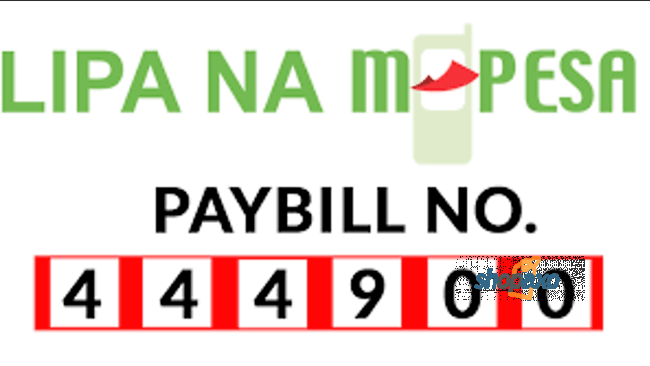
To pay for you DSTV you need the Dstv paybill number. The number is 444900. If you have reached that day of the month when you want to pay you DSTV bill, this a number you will need to remember.
You can book mark this page and refer to if whenever you want to pay your bill. Better still, write somewhere and refer to it when the need arises.
If you have mySafaricom App installed on your phone, you can make your life sweet by using it to settle your DSTV bills via Mpesa.
This how it works;
Go to mySafaricom App and fire it up.
Select B
laze Mpesa.
Then select Bill Manager.
Select DSTV.
From here, you can easily pay your DSTV bill. All you need
to do is fill in the required information and follow the prompts. The thing I
love about this method is that you do not have to remember DSTV paybill number.
How to Pay DSTV Bill using Mpesa.
If you have been using paybill, then this should be very
easy for you. There are two options.
Using your phone Toolkit
Go to your phone toolkit and let it fire up.
Select Safaricom if your phone has two sim cards
from different networks. If you have two Safaricom simcards, select your
default Mpesa simcard.
Select Mpesa them ‘Lipa na Mpesa’
Select Paybill.
Enter Dstv Mpesa paybill number, which is
444900.
Key in your account number.
Input the amount you wish to pay.
Key in you Pin
If everything looks good, confirm the
transaction.
Wait for the confirmation message.
If you get the message, you are sorted and your transaction
should reflect on your Dstv account.
Using mySafaricom App
Again, if you have the app installed on your phone, this makes things simple. This is what you need to do.
Go to mySafaricom App and start it up.
Select blaze Mpesa.
Then select Bill Manager.
Select DSTV.
Enter your account number.
Next enter the amount you wish to pay
Lastly, confirm the transaction and wait for the confirmation message.
Dstv Packages
In Kenya, DSTV offers five packages that is Premium, Compact
Plus, Compact, Family and Access. Here is a summary of these packages.
Premium
Compact Plus
Compact
Family
Access
Number Channels
115
104
92
75
60
Cost per Month
7900
5200
3200
1900
950
Dstv premium has a total of 115 which gives you some of the best entertainment on the globe. With this package you will be able to take your entertainment to the next level. If you are in Kenya, you will agree with me that this is the only package that allows you to watch all the premier league games and other major sporting activities around the globe. As the name suggests, it does come at a premium.
Compact Plus package offers entertainment for those of us who cannot afford the 7.9K. With this package some premium channels have been removed. It has a total of 92 channels in all. If you are a sport lover, Supersport 3 and Supersport 7 are available on this package.
The Compact package offers channels almost similar to those
of Compact plus except a few that have been removed for this package. At a cost
of Ksh. 3200, the entertainment is worth the price.
Family package as the name suggests offers entertainment
woven for the family. With a total of 75
channels both local and international, your family entertainment will never be
the same again.
Lastly we have the Access package with offers basic
entertainment with most of the channels being the local ones.
How to reset your decoder after payment is made.
Sometimes you may need to reset your decoder. Should you
find yourself in this situation, follow these steps.
Make Payment to DSTV via Mpesa Paybill No.444900 using your Account Number.
Send an SMS to 3788 by typing ‘Reset‘leave a space and type your DSTV Account Number.
Make sure your DSTV decoder is on when doing this.
Contacts
Should you have any challenges, you
can use these contacts to get in touch with Dstv.
Address: Multichoice Head Office
First Floor, Sarit Centre, Westlands, Nairobi
DSTV Multichoice Kenya Ltd –
Head Office Branch
Multichoice Hse, Karuna Rd, Westlands, Nairobi
P.O.Box 60406-00200 City Square. Tel: +254-204236000 More Lines: +254-204236444
Conclusion
In a nutshell, to pay your Dstv bill all you need is the paybill number 444900. In most cases once you pay and as long as your decoder is on, it should be activated automatically.
In case it does not, you activate your decoder after payment as explained
above.
I have been writing a lot about how to book various bus companies in the recent past. However today, I want to take a detour and show how to book the SGR train.
Please note that the abbreviation SGR stands for Standard Gauge Railway. In the recent past, a new railway line has been built to replace the old ‘Lunatic Express’ line.
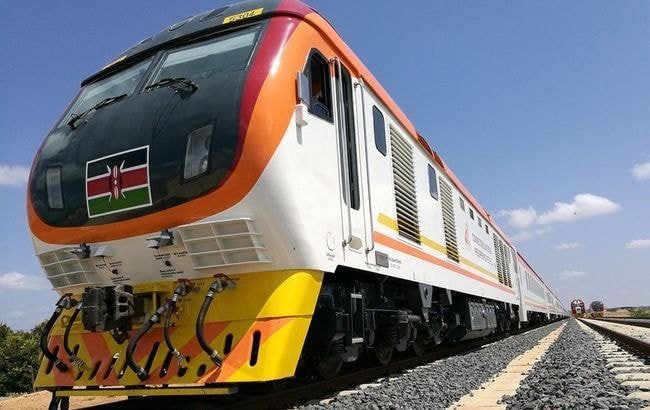
Trains that run on the SGR line are called the Madaraka
Express.
If you are a frequent traveler between Nairobi and Mombasa, you will appreciate that traveling by train is by far the safest way to travel.
So how to book the SGR train? You may be asking.
There several way you can do this. Here is a summary.
I always love doing things online because it saves you time
and money. I have travelled several times between Nairobi and Mombasa using the
SGR train. For this reason, I have firsthand experience how it feels like to be
onboard.
If you wish to book your ticket online, please follow these simple
steps.
Step I
Go to metickets.krc.co.ke, if the link does not work, copy
and paste it in your browser. This takes you to a page that looks this way.
Step II
From the screenshot in step I, choose the type of train,
either InterCounty or Express. Note that the Inter Countrytrain makes
several stopovers at designated train stations along the way. While the Express train does not stop until
the final destination.
Step III
Select the origin terminus, which is either Nairobi or Mombasa for the Express Train. For the Intercounty train, you have several other origin terminus to select from.
Step IV
Select your final destination.
Step V
Choose your date of travel.
Once you have done this, all that you need to do now is hit
the ‘Book Train Button’
Step VI
If you do this, you will be taken a page that looks this
way.
As you can see, you have two options to choose from. There are
two coach types, either the FirstClass or the Second Class. Choose accordingly, what suits you.
You will also need to select the number of people traveling and select whether they are adults or children (between 3- 11 years).
As you do this, the total fare will be populated for you.
Children under 3 years travel free. If you are happy and everything looks good,
hit the ‘Book a Train’ Button.
Step VII
Once you hit the ‘Book
a Train’ Button, you get to this page.
Now, you need to enter your ‘Full Name’, ID or Passport and finally choose your nationality.
Once done, enter your payment details, which include the M-Pesa Mobile Number
and your email address.
At the bottom of the page, you have two options, either ‘Pay Now’ or ‘Pay Later’. Your booking is then complete when you pay the amount via Mpesa. An E-ticket should be sent to your email address.
This process should take you less than 10 minutes. That how to book SGR online in style.
2.How to book SGR via USSD
Phones have become a necessity and booking SGR Via USSD is
another option you could use to book for your first ride.
To do so, follow the following steps.
Go to your phone and enter the USSD Code * 639#
and hit the call button.
Select desired steps.
Follow all the prompts and enter the information
that is required. You notice that the process is similar to booking online only
that you doing it via phone.
Make payment and wait for Mpesa Confirmation.
Get your Account Number from the confirmation
message.
Use the confirmation number and phone to print
your ticket at the train station.
Here is a summary of how to do all this. Have a look.
Book you ride via Mpesa.
3. Call Kenya Railways
Calling Kenya Railways is another option that you can
explore. All you need to do is call and a representative of Kenya Railway will
ask you a series of questions to help you get your ticket.
You will receive a prompt message requiring that you pay (see
under paying via Mpesa below).
Here the Contacts you may want to use, but I would recommend
calling.
Kenya Railways Contacts
Postal Address:
P.O BOX 30121- 00100, GPO Nairobi Kenya.
Mobile number:
0728603580/0728603581/0708572574/0708571587
For all Madaraka
Express enquiries Call 0709388888
4. Go to the station
Nairobi Terminus at Syokimau
If you like doing things the traditional way, you can get to
the SGR stations and book. If you are in Mombasa, you need to go to Miritini Station and if you are in Nairobi,
you have to go to Syokimau Station.
5. How to book SGR Via MPesa
This how to do it.
1. Initiate the process by calling the Madaraka express through
0709388888 within the official working hours.
2. Give out your details which includes but not limited to the type of coach, travel date, destination and phone number.
3. You will be notified the amount payable. In case you need
to know the amount in advance, see the fare chart below.
4. You will be prompted with a short message on your phone containing
your ID number, pay bill number and amount due.
5. Pay the due amount through the pay bill number provided
above.
6. You will receive a message containing your ticket details
after payment.
Answers common questions about the SGR booking
Here are answers to common questions that I have been asked previously but which could be of help to you.
Can book in advance?
The answer to this is yes, you can book in advance. All the five
methods listed above allows you to book in advance.
However, this what you need to know need. As an individual, you can book a ticket 30 days in advance. If you are traveling as a group of 20 people or more, advance booking of 30 days or more is required.
How long does it take between Mombasa and Nairobi.
The rain takes 6 hours to travel from Nairobi to Mombasa.
However, if you are on the Inter county train, this might take you more time.
The distance between Nairobi and Mombasa is 490KM. This
means that the train travels at an average speed of 82km/h. However, the trains
have a top speed of 120km/h.
What are the Charges?
The charges depend on the destination and the type of Coach
you take.
Have a look.
Express Trains (Nairobi to Mombasa)
Class
Adults
Children (3-11Years)
Children( Below 3 Years)
First Class
3000
3000
Free
Second Class
1000
1000
Free
Inter County Trains
Nairobi To
Class
Adults
Children (3-11Years)
Children( Below 3 Years)
Athi River
First
120
60
Free
Second
60
30
Free
Mtito Andei
First
1490
750
Free
Second
490
250
Free
Voi
First
2130
1070
Free
Second
700
350
Free
Emali
First
790
400
Free
Second
260
130
Free
Kibwezi
First
1210
610
Free
Second
400
200
Free
Miaseny
First
2450
1230
Free
Second
900
450
Free
Mariakani
First
2870
1440
Free
Second
940
470
Free
Mombasa
First
3000
1500
Free
Second
1000
500
Free
Can I get a refund?
The answer is yes. In case something
happens and you miss you train, you can request for a refund.
However, note that you can only get 80% of
the price of the ticket. However to get a refund, you will need to notify the
train attendants before the train leaves.
If the train leaves due to you arriving late for
whatever reason, you may not get a refund.
How does traveling on SGR feel like?
Traveling on the SGR is a wonderful experience. That said; do not expect anything out of the ordinary. However you will notice a bit of comfort compared to the old trains we were used to in the past.
What if I lose my ticket?
In case your ticket is lost or defaced, getting a ride may
be difficult. Nevertheless, should that happen, you can contact Kenya Railways
and see whether you will be assisted.
Conclusion
Booking the SGR is very easy. You have five ways to do this.
1. Book
online
2. Book via USSD
3. Call
Kenya Railways.
4. Get
yourself to a station a get your ticket.
5. Book via
Mpesa
Within minutes, you will have your SGR ticket and begin a trip of your lifetime .
Gotv is one of the best alternative to premium TV (Dstv, Zuku) in Kenya. Off course, we have the Startimes but honestly speaking, whether you are a lover of sport or some movies, Gotv beats startimes easily.
I once owned a startimes decoder and I had to replace it
with Gotv.
I know you are likely using this decoder, so how is this
post going to be of any benefit to you?
I am going to take you through all the little things you
need to know about Gotv so that you can make your experience more enjoyable.
Little things you need to know about Gotv
1. Packages
There are SIX packages to choose from. Some of which you pay monthly while others have a yearly payment schedule.
The table below compares all these packages.
Package
Number
of Channels
Payment
Frequency
Price
in Ksh.
Lite (Annual)
15
Annually
1500
Plus
40
Monthly
749
Max
48
Monthly
999
Lite (Quarterly)
16
Quarterly
590
Lite ( Monthly)
17
Monthly
260
Value
26
Monthly
499
2. Channels
So what channels are on the packages? You can easily compare them here to make an informed decision.
Lite(
Annual)
Value
Plus
Max
–
–
B4U Movies
B4U Movies
–
–
–
TVC Entertainment
–
–
–
Iroko Plus
–
–
Zee World
Zee World
–
–
Maisha Magic Bongo
Maisha Magic Bongo
–
Maisha Magic East
Maisha Magic East
Maisha Magic East
–
African Magic Family
African Magic Family
African Magic Family
–
Africa Magic Epic Movies
Africa Magic Epic Movies
Africa Magic Epic Movies
–
Eva+
Eva+
Eva+
–
–
M-Net Movies Zone
M-Net Movies Zone
–
–
–
CBS Reality
–
–
–
BET International
–
Fox Life
Fox Life
Fox Life
–
–
–
Fox
–
E! Entertainment TV
E! Entertainment TV
E! Entertainment TV
–
–
Telemundo
Telemundo
–
–
Iroko Music
Iroko Music
–
–
–
Star life
–
–
ROK 3
ROK 3
–
–
–
ROK 2
–
–
Go Channel
Go Channel
SuperSport Blitz
SuperSport Blitz
SuperSport Blitz
SuperSport Blitz
–
SuperSport Select 1
SuperSport Select 1
–
–
–
SuperSport Select 2
SuperSport Select 2
–
–
SuperSport Select 3
SuperSport Select 3
–
–
–
SuperSport Select 4
–
–
–
SuperSport Select 5
Aljazeera
Aljazeera
Aljazeera
Aljazeera
–
BBC International
BBC International
BBC International
–
–
CCN
CCN
Jimjam
Jimjam
Jimjam
Jimjam
–
Disney Junior
Disney Junior
Disney Junior
–
Nickelodeon
Nickelodeon
Nickelodeon
–
–
Nat Geo Wild
Nat Geo Wild
–
–
Discovery Family
Discovery Family
Emmanuel TV
Emmanuel TV
Emmanuel TV
Emmanuel TV
Islam Channel
Islam Channel
Islam Channel
Islam Channel
Faith Broadcast Network
Faith Broadcast Network
Faith Broadcast Network
Faith Broadcast Network
Afro Music English
Afro Music English
Afro Music English
Afro Music English
–
–
MTV Base
MTV Base
K24
K24
K24
K24
KTN NEWS
KTN NEWS
KTN NEWS
KTN NEWS
Citizen TV
Citizen TV
Citizen TV
Citizen TV
KTN
KTN
KTN
KTN
NTV
NTV
NTV
NTV
KBC
KBC
KBC
KBC
Inooro TV
Inooro TV
Inooro TV
Inooro TV
eTV Africa
eTV Africa
eTV Africa
eTV Africa
Classic FM
Classic FM
Classic FM
Classic FM
Please note that the Lite Quarterly has an addition of ONE audio channel (Classic FM). The Lite Monthly has two more channels, Classic FM and Maisha Magic.
It is also important to note that when scanning, the decoder
will pick up so many other channels from Startimes, PANG and BAMBA. While in
most cases these channels will work (if they are on the FTA platform), Gotv
does not take responsibility for such.
In addition, in their T&Cs, the package may change at any time with channels removed or added.
3. Activation
For your Gotv decoder to work, you need to activate it. This is especially
true if you have just bought the decoder.
At the website, you will see, ‘Enter your details and activate your
subscription.’
You will need to fill the following.
Your city
Surname
IUC Number
Mobile Telephone
You can easily find
the IUC number on the red sticker at the back of your decoder. Once you have
activated, you can comfortable enjoy watching your favorite programs.
Sometime you may need to activate your decoder if you have been using Gotv and your subscription expired. In this case, if you make your payment, the decoder will automatically be activated. You however need to remember that your decoder must be on to receive the activation signal.
Enter ICU number (ICU number is found on a red sticker at the bottom of your decoder).
Enter the amount to pay.
Key in your MPESA PIN
Confirm that you have entered the correct details, and then send to complete the transaction.
Wait for the confirmation SMS
For other countries, the process is
the same, only that you have to use your paybill number and the local mobile
money transfer network.
One more thing, you can also make
online payments on Gotv website.
6. How to change Gotv package
Sometimes it may be necessary to change the package you are on. This is either by downgrading or up grading.
This is how to do it.
Via SMS
This is the simplest and fastest way to do it. All you have
to do is send the message ‘UPGRADE
(DOWNGRADE) IUC NUMBER’ to 22688.
Call customer Care
You
can call the customer care and request for an upgrade or downgrade. Again, this
should work fast for you.
In
case you missed the Contacts, see them above.
Do it online
This
is my favorite method doing this. You can do it at the ‘Easy Self Service.’ All you need to do is login at the Gotv
website. Off course, you will need you phone number and IUC number.
Once
you logged in, you can easily change your package. However, it is recommended
that you let the current package expire before changing to your preferred one.
7. SMS Short Codes
Country
SMS Short Code
Kenya
6088
Uganda
6688
Malawi
4688
Ghana
4688
Mozambique
4688
Nigeria
4688
Tanzania
16688
Zambia
4688
Zimbabwe
6088
Conclusion
There are small about GOtv that you need to know, especially
if you use their decoder. This will make your life easy and ensure you enjoy your
subscription and get the most out of your decoder.
Though it is not common, you will find yourself sending money to the wrong person. That when the ‘how to reverse MPesa’ question comes in.
If you have send money to the wrong person, here is what you
need to do fast. Follow any of the three methods below.
How to Reverse Mpesa
Method 1
Copy the transaction ID that looks like
NDN0FI1UISR.
Open a new SMS and put in the transaction ID as
your message.
Send this message to 456.
Relax and wait for Safaricom do its thing.
You will receive a message that goes this way;
‘Dear Customer, your
reversal request has been received and is being processed. We will send you a status
update within 5 minutes, thank you.’
At this point, there is only one thing you can do, wait and
hope that within 5 minutes you will have your money back.
Method 2
The minute you realize that you have send money to the wrong
person, the best and fastest method it to immediately forward that message to
456.
A typical Mpesa message you receive after sending money to
someone goes this way.
‘NDN0FI1UXXX Confirmed. Ksh. 560.00 sent to Mlowezi Mlachake 0724 XXX657 on 29/04/2019 at 1.09PM. New Mpesa balance is Ksh. 243XX.00. Transaction cost is Ksh. 15.00. To reverse forward this message to 456.’
I hope you are noting the last bolded line in the message.
Again, as I said earlier, you have to be patient and hope
that the money gods will be in your favor.
Method 3
If you have mySafaricom App installed on your phone, fire it up and go to Mpesa. Scroll to the bottom of the page and find ‘Mpesa Statement.’ See screenshot below.
Once here, tap the ‘Mpesa
Statement.’ Two options will be presented to you. ‘Full Statement’ or ‘Mini
Statement.’
Tap on the ‘Mini
Statement’ to fire it up.
A list of transactions you have recently done will be
presented to you. See image below.
Tap on the transaction you want to reverse. A pop up message
will come up asking, ‘Do you really want
to raise reversal request?’
Off course, your answer should be OK. Have a look.
Again, you will receive a message acknowledging receipt of
your request.
How to avoid doing Mpesa Reversals
Safaricom today gives you the chance to check and confirm
that the person you are sending money to is the correct one.
You can always cancel the transaction as soon as you realize
that a wrong number has been entered.
Moreover, if you frequently send money to some individuals, I
recommend saving such names in the Safaricom SIM for easy extraction whenever
you need them.
Conclusion
Sending money to the wrong person can be a painful experience.
Immediately you realize that you have made a mistake, act as fast as possible
before the money is withdrawn from the other end.
If it is withdrawn, Safaricom may have limited options
assisting you. Here is a message that once you receive, you know that things
are not looking good.
‘Dear Customer, we are
unable to process your M-Pesa reversal for NDN0FI1UISR at this time. Kindly try
again within 5 minutes. Thank you.’
That is why speed is of essence. This likely tells you that the money has already been withdrawn. Lastly, it is equally important to note that you can reverse received cash from someone.
I hope I have answered your question, how to reverse Mpesa, should you have any question or concern, please get to me via the contact form.
If you are looking for any information about Viusasa, then this is the ultimate guide to downloading the app. Within minutes, you can be watching videos online at extremely low prices. Indeed, Viusasa has taken the Kenyan video lover by storm.
But what is Viusasa?
It would only be fair for us to understand exactly what this is.
Viusasa is a Video on demand (VOD) platform owned by Royal
Media Services offering entertainment. With the App, you can enjoy TV programs,
shows, videos, music and other forms of entertainment on any device anywhere.
Moreover, you can download content and watch it at later
whether you are on the move or somewhere without internet connection.
Viusasa Application Download
I must admit that I have been using Viusasa for some time.
However, I did uninstall the application to bring you the actual steps to take
if you wish to enjoy its services.
Most Viusasa users use the phone, so if you have one, make sure
that you are connected to a network. If
you are ready then, let us do this.
To begin downloading the Viusasa Application, on your phone, go to Google Play store. The Google Play Store is on any android device by default. Therefore, it should be easy to find.
Once there, type ‘Viusasa’
in the search bar and hit ‘Search.’
You should be able to see this page.
Now all you need to do now is hit the ‘Install Button.’ If you are following this guide, please do so.
The application will begin downloading, it is about 8.4 MB, and
so it will take a few seconds to download, though this will also depend on strength
of your network.
Once downloaded, you will be presented with two options, ‘Uninstall’ and ‘Open.’
Hit the ‘Open’
Button.
The app begins putting up the settings. The first setting to
come is the language option. See the screenshot below.
Choose the language that suits you. Once done, hit the ‘Continue’ Button. If successful, you
should be taken to this page.
Now here you have two options, to either ‘Register’ or ‘Sign In.’ Off Course if you have ever used the app, then all you need to do is ‘Sign In’.
However, this tutorial is for a newbie (someone who has
never used the application). In addition, I did uninstall the app on my phone
to take you through the whole process.
For this reason, if you are doing it for the first time, hit
the ‘Register’ Button. The next page
simply asks you to create your Viusasa account.
The process is as simple as;
Entering your phone number.
Choosing a password, which should be between 4
to 18 characters and confirming the same.
If you are done with this process hit the ‘Create Your Viusasa Account’ button.
Congratulations, you have just created your account, and in terms
of entertainment, the sky is your limit.
This page will be presented to you.
How to subscribe to Viusasa
Once you have downloaded the app, you are not yet done. You
have to subscribe.
The Viusasa VOD app has 3 options you can subscribe to.
1. Videos
Under the videos package, you can subscribe
to any of the following:
Kshs. 10/Daily videos that are unlimited
Ksh.60/Weekly videos unlimited
Ksh. 200/Monthly videos also unlimited
2. Music
Under the music section, here are
the packages.
Ksh. 5/Daily music unlimited
Ksh. 30/Weekly videos unlimited
Ksh.100/Monthly videos likewise unlimited
3. Videos and music
If you
want you want to enjoy both music and videos, you have the following options.
Ksh. 15/Daily videos and music unlimited
Ksh. 90/Weekly videos and music unlimited
Ksh. 300/Monthly videos and music unlimited.
So how do you pay for your Viusasa subscription?
The good thing is that you can pay via Mpesa, Paypal , Airtel Money or Visa.
In my case, after downloading the App, I tried paying a Video. However, I was prompted to subscribe. I hit the Subscribe button and was taken to this page.
I then selected
Mpesa, the good thing is that I was taken to my Mpesa wallet and paid without
any hustle.
In case, you
want to pay via Mpesa, here is how to do it.
Go to the M-Pesa menu on your handheld device
Select ‘Lipa Na M-Pesa’
Select ‘Pay Bill’
Enter the Viusasa pay bill number – 724177
Input your account number that is the mobile number you
used to enroll for Viusasa
Enter the amount you would wish to pay.
Finally Input your M-Pesa pin to authorize the payment.
Your Viusasa package is activated immediately.
How to get the most out of you
Viusasa Application
You do not want to subscribe for
something and not get much out of it. Here are suggestions to help you out.
1. Download Videos
This is what you should be doing if
you want to watch your favorite videos later. Especially if you know, you won’t
have an internet connection.
Downloading Videos ensures that you
are able to enjoy your videos hassle free without a connection.
2. Catch up on news you missed.
On the news sections, you can catch
up on any news items you may have missed. However, note that since the app is
owned by the Royal Media Services, the news will be primarily from the media
house.
3. Add favorite items
If the videos you are playing are
good enough and want to catch on them later without downloading, you can simply
add them to your favorite list.
To do so, touch on the heart sign as
the video is playing.
4. Upload Videos
If you are a content producer, you
can upload your videos to the platform. If accepted, you can earn up to 40% of
the revenue generated from your videos.
The video below will help you get
started if you just downloaded the app. Have a watch.
Getting Started on Viusasa.
Conclusion
For as little as Ksh.10, you can
take your entertainment to the next level and this is as easy as downloading
the app.
If you are looking for even more
serious VOD then you can try Netflix
and Holu.
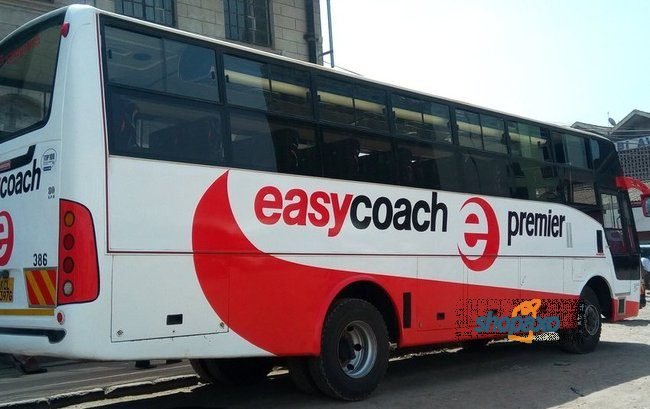
Easy Coach is a premier bus company that operates on routes west of the capital Kenya. They have a good road safety and one of the most reliable bus company in Kenya.
If you came here for online booking, I wrote this guide here how to do so. Easy Coach does not have an online booking portal; however, you can book through their partners Buupass. Nevertheless, if you came to find out more about the bus company, read on.
The company offers both passenger and courier services. I am
going to provide you all this information so that you can decide whether to do
business with them or look elsewhere.
Destinations
As I said earlier, Easy Coach operates on route west of the
capital Nairobi. It also has presence in Uganda.
From their base at Railways Nairobi, the bus company goes to
Awendo
Bondo
Bomet
Bumala
Bungoma
Busia
Eldoret
Kaimosi
Kakamega
Kampala
Kapsabet
Kericho
Kisii
Kisumu
Kitale
Malaba
Maseno
Mbale
Migori
Moi’s Bridge
Mumias
Nakuru
Narok
Rongo
Siaya
Sirare
Ugunja
Usenge
Webuye
Jinja
Off course, it goes without saying that you can travel from these destinations back to Nairobi. Here is a current fare chart to all destinations from Nairobi.
TOWN Departure Period Arrival Price (24Hrs) (24Hrs) (Ksh.)
SIRARE
SIRARE
MASENO
MASENO
KAIMOSI
KAIMOSI
KISUMU
KISUMU
KISUMU
KISUMU
KISUMU
BUSIA
BUSIA
MUMIAS
MUMIAS
SIAYA
SIAYA
KAKAMEGA
KAKAMEGA
USENGE
USENGE
BUNGOMA
BUNGOMA
KAMPALA
KAMPALA
KITALE
KITALE
MBALE
MBALE
KERICHO
KERICHO
ELDORET
ELDORET
MALABA
MALABA
RONGO
RONGO
HOMA BAY
HOMA BAY
08:30
21:30
07:30
20:00
09:30
19:45
09:00
11:00
13:00
21:00
21:30
07:00
19:30
08:00
19:45
07:30
20:00
09:00
20:00
07:45
19:45
08:00
19:30
07:00
19:00
08:30
20:15
08:30
20:30
08:30
20:30
08:30
20:15
07:00
19:30
08:45
20:45
08:45
20:45
DAY
NIGHT
DAY
NIGHT
DAY
NIGHT
DAY
DAY
DAY
NIGHT
NIGHT
DAY
NIGHT
DAY
NIGHT
DAY
NIGHT
DAY
NIGHT
DAY
NIGHT
DAY
NIGHT
DAY
NIGHT
DAY
NIGHT
DAY
NIGHT
DAY
NIGHT
DAY
NIGHT
DAY
NIGHT
DAY
NIGHT
DAY
NIGHT
15:45
05:30
16:30
04:30
16:45
03:00
16:00
18:30
20:30
04:30
05:00
17:00
05:30
17:00
04:00
16:30
05:00
16:30
03:30
17:30
05:30
17:00
04:00
21:00
09:00
17:00
04:45
15:30
03:30
14:30
02:30
16:00
03:00
17:30
04:30
15:45
03:45
16:15
04:15
950
950
1,400
1,400
1,200
1,200
1,400
1,400
1,400
1,400
1,400
1,500
1,500
1,450
1,450
1,450
1,450
1,450
1,450
1,450
1,450
1,350
1,350
2,500
2,500
1,350
1,350
1,400
1,400
1,100
1,100
1,250
1,250
1,400
1,400
950
950
950
950
As I said earlier, you can also send parcels. Here are their charges.
Description
Charges( in Ksh)
Small Envelops
200
Medium Envelops and Big Envelops
200
Kampala Letters
400
Parcels Charges per Kilogram
1-7
250
8-10
300
11-15
400
16-19
450
20-25
500
For Parcels 26kg and above, charged
at Ksh. 20 per kg inclusive of VAT
Easy Office Locations and Contacts
Town (City)
Location
Cellphone
Awendo
Bondo
Opposite Caltex Petro Station
0738200316
Bomet
Bumala
Western Ambience Hotel
0789366996
Bungoma
At Shariff’s Centre
0738200310
Busia
Next to KRA Offices
0738200315, 05523098
Eldoret
At Eldoret Valley Hotel
0532030411(fax), 0738200308
Kaimosi
Next To Jeptulu Primary School
0738200323
Kakamega
Opposite Kakamega Primary
0738200313, 05630837 (fax)
Kampala
Dewinton Road – Pioneer Building
Yusuf Lule Road – At Oasis Shopping Mall
+256776727270, +256757727273
Kapsabet
Opposite Kapsile Wholesalers Supermarket
0738200322, 05352260
Kericho
Along Kisumu – Kericho Highway, Omline Petrol Station
052 20417, 0738200316
Kisii
Kisii-Migori Highway Opposite Kobil Petrol Station
0736046164
Kisumu
-United Mall
-Al Imran-Oginga Odinga Street, Next to -University Of Nairobi
-Down Town- Bank Road, Behind KPLC Office
Unlike many other bus companies, their schedule is followed but sometimes departure times are often adjusted. I have had to wait for more than 30 minutes for the bus to actually arrive and more minutes for it to finally depart.
During the festivities, the queues may be long that usual and it is common
for buses to really come in late.
However once onboard you can expect that the bus will not stop until it gets
to nearest town in which case they have offices.
There is nothing out of the ordinary once on board. The seats are ‘comfortable’ (comfortable in this case is relative). However, unlike Dreamline, Mash Poa or Modern Coast, it does not have classes.
They seem to take security seriously and have guards on standby to take care
of your belongings when you are out of the bus. For items such as laptops,
phones and other electronics, you will be advised to carry them along with you
to wherever you go.
This is my take, if you are looking for a bus that at least delivers on what it promises; Easy Coach is your best bet. And one reason I will always use it is the fact that their fares remain constant come rain or sunshine.
Conclusion
Easy Coach is a bus company you can trust to travel with safely. Besides,
they score above average on safety and passenger satisfaction.
Moreover, they have won several awards among them;